Four Halloween photo ideas for your very good pet.
A pumpkin on the porch. A tiny witch in a candlelit study. You can give a pet photo a Halloween setting without asking your pet to wear an actual costume. These four ideas are the styles available in the PawPost AI Halloween portrait studio.
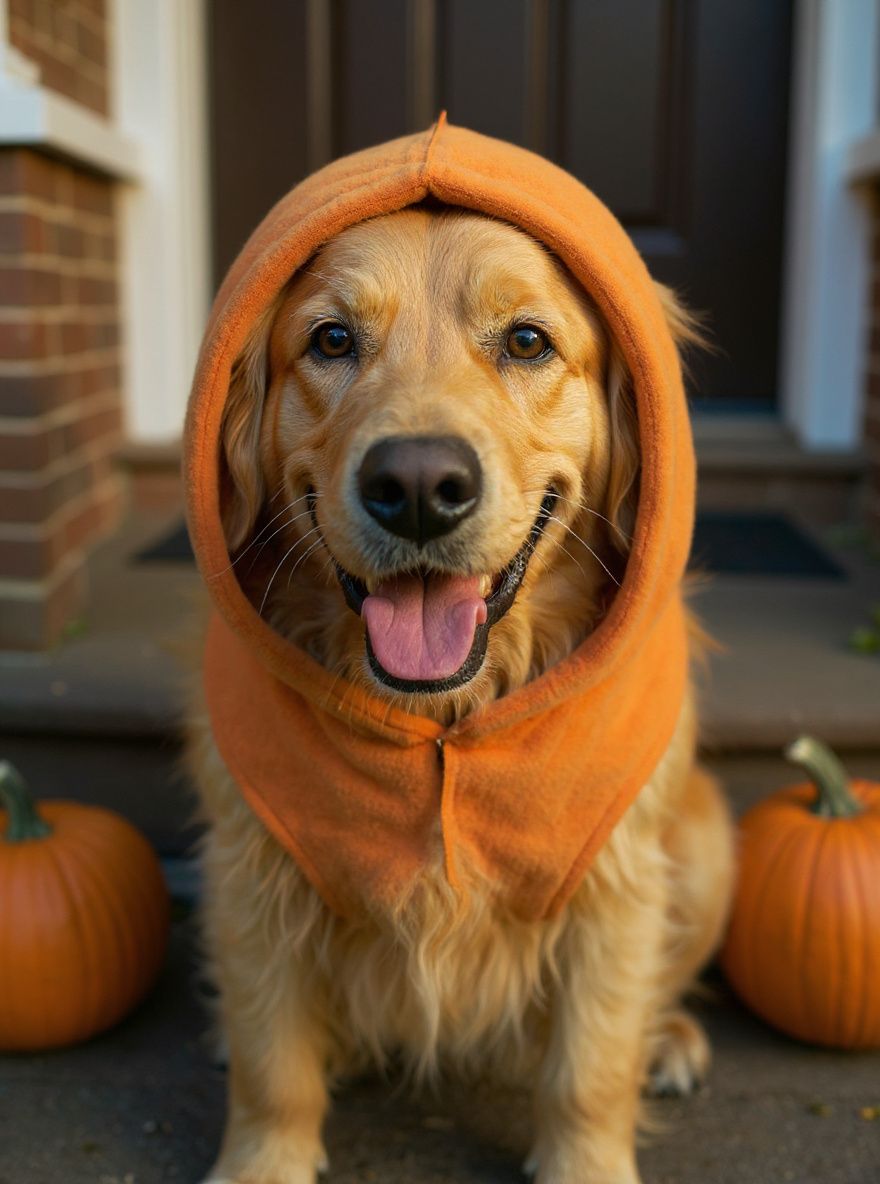
1. A pumpkin portrait for a warm autumn look
Orange fabric, small pumpkins and a softly lit porch make a cheerful Halloween picture. Choose this style if you want a seasonal photo that feels playful rather than spooky. Look for a result where your pet’s face remains unobstructed and the costume sits around the body.
2. A little witch with a big personality
A purple hat and a velvet cape give the portrait a storybook mood. This style adds more detail around the head, so a reference photo with both ears clearly visible is especially useful. Check that the generated hat has not changed the shape of the ears or covered the eyes.
3. A friendly vampire for a dramatic portrait
A black cape with burgundy lining and a gothic background suit a more theatrical Halloween picture. The PawPost vampire style is designed to be cute, without gore or added fangs. Before choosing it, compare the eyes, nose and fur markings with the original photograph.
4. A ghost who is more cute than creepy
A white sheet around the body and autumn fairy lights create a softer ghost scene. The opening should leave the whole face visible. Light costumes can blend into pale fur, so pay particular attention to the boundary between the pet’s head and the fabric.
Choose a photo that gives the AI useful detail
- Use a sharp photo of one pet with the entire face and ears visible.
- Choose even natural light so fur markings are easy to distinguish.
- Avoid heavy filters, motion blur and objects covering the face.
- Choose a head angle you would be happy to keep in the finished portrait.
The studio accepts JPG, PNG and WebP files up to 10 MB. Your browser prepares a smaller image before uploading it for generation. A better reference can help, but AI can still change markings, anatomy and expression.
For lighting, framing and fur-specific tips, read our AI pet portrait reference photo guide.
Check the preview before you keep it
Compare the watermarked preview with your original. Check the eye color, muzzle, ear shape and distinctive patches of fur. Also check that paws and clothing look plausible. Treat the result as an AI interpretation, not a guarantee of an exact likeness.
One credit unlocks the same generated image you previewed, without the watermark. It does not generate a replacement. Repeat downloads of an unlocked image are free. Previews and purchases depend on studio availability and daily limits; check the current status before starting.
Share the portrait or make a holiday card
A portrait can be a seasonal profile picture or an image for your family group chat. If you prefer using your original pet photo in a card layout, try the free pet holiday card maker. It includes Christmas, Halloween and birthday templates and processes photos in your browser.
Create a Halloween pet portrait ↗